Flexmls Pre-Construction Search

In this guide, I’ll walk you through how to set up a custom search in Flexmls to display only pre-construction properties.
You’ll learn how to apply the right filters, navigate the search results, and save your search for quick access in the future, perfect for keeping tabs on new developments and upcoming inventory.

1. Navigate to https://flexmls.com/

2. Click "Quick Search"

3. Click this field.

4. Click "Pre-construction"

5. Click "Yes"

6. Click "close"

7. Click "LIST"

Tip: You can save this search to quickly access it

8. Click "Save"

9. Click "Save Search"

10. Name your search

11. Click this dropdown.

12. Select the owner of this search

13. Click "Mark as Favorite"

14. Click "SAVE"

Accessing Saved Searches

15. On the top menu options, to the right, click "Saved Searches"

16. Click "Pre Construction Properties"

Other Materials

2026 Recordings

Mastering Follow-Up

How Vero Aranda runs every lead through Follow Up Boss, Real Geeks, and Flex without losing any of them. A practical walkthrough of the daily system she uses for Aimee and Gabe’s pipeline, with the templates, tags, and shortcuts that keep the database clean.

Read More »
Quick Guides

BW Chat Guide (Formilla)

📘 BW Chat Guide (Formilla) Purpose This guide explains how to use Formilla Chat while on floor duty so we can respond to website visitors

Read More »
Quick Guides

Create a File Request Link

1. Navigate to https://cloudboardwalk.com/ and login 2. Use File Station 3. Click “Boardwalk Cloud” 4. Navigate to the listing / deal folder 5. Right click

Read More »
Quick Guides

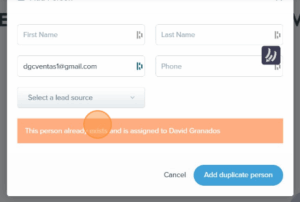
FUB Dupe Check

Learn how to properly search for existing leads and avoid duplicate entries in the system. This guide walks you through checking by name or email, recognizing system warnings, and following the correct steps when adding a new contact

Read More »
Quick Guides

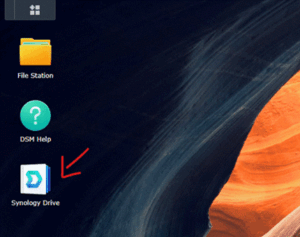
File Server 101

Learn how to access, share, and request files using our Synology-powered File Server. This step-by-step guide includes screenshots for logging in, sharing public links, requesting uploads from clients, and accessing files from your phone.

Read More »
SOPs

Lead Handling & Duplication Protocol

To ensure consistency, accountability, and clarity when handling duplicate leads (“dupes”) across all platforms, ensuring the original agent retains the lead and preventing duplicate outreach.

Read More »

This internal platform contains confidential and privileged information intended solely for authorized team members of Boardwalk Realty. The materials shared here, including training videos, documents, and internal processes, are for internal use only. Unauthorized access, distribution, copying, or disclosure of any content is strictly prohibited.